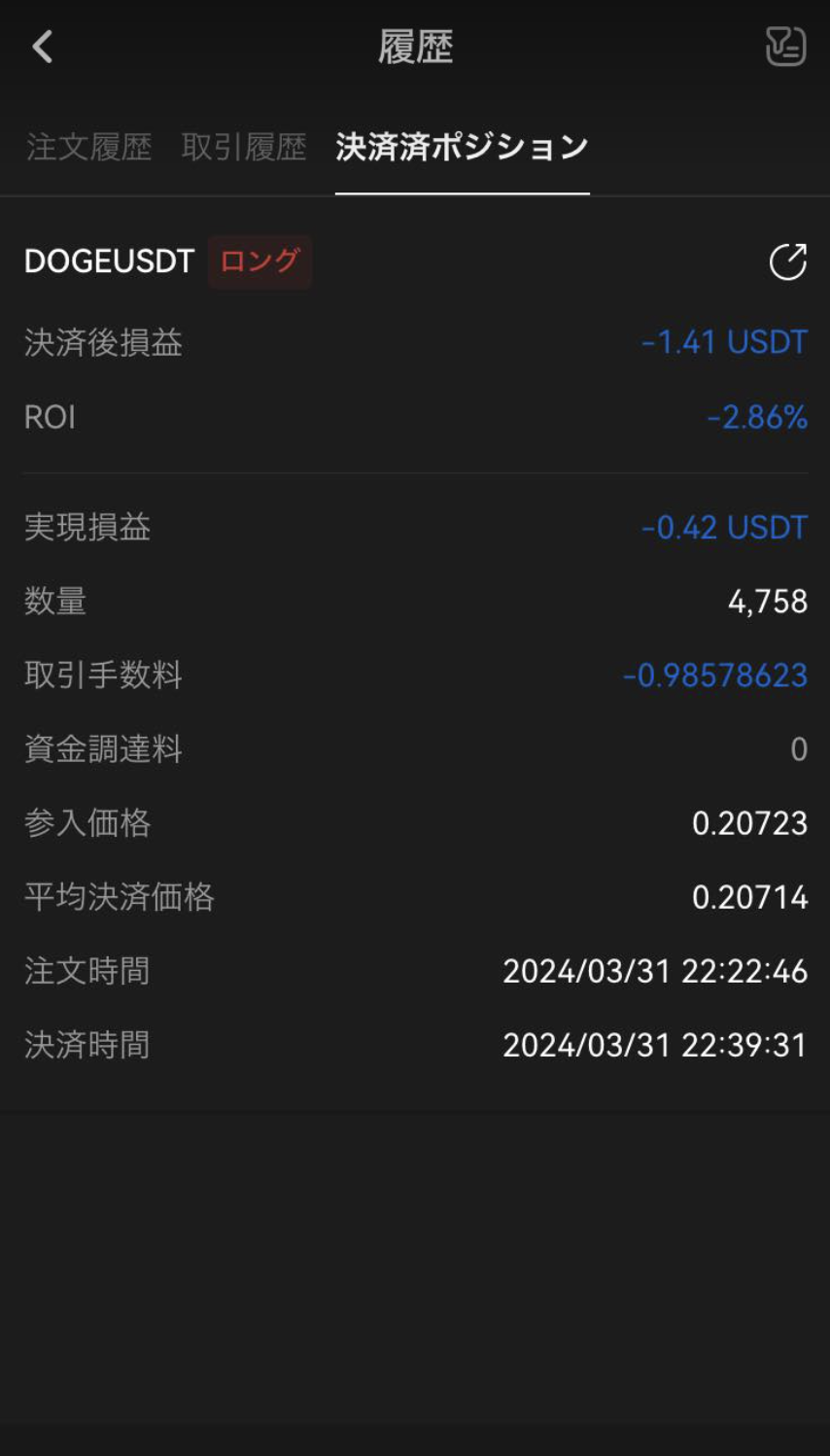
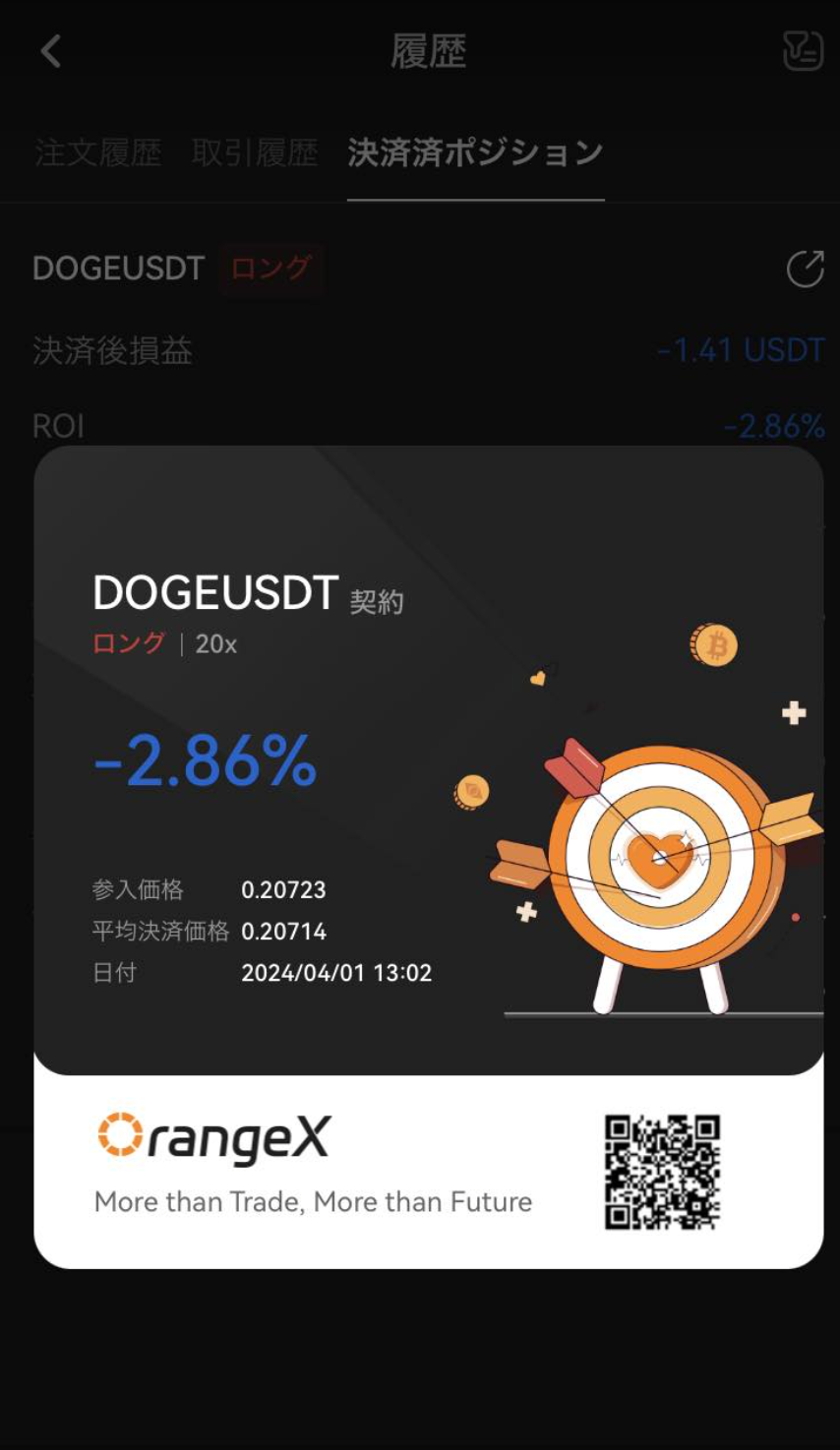
OrangeX.com allows you to create Earnings rate cards. Here's how:
For website
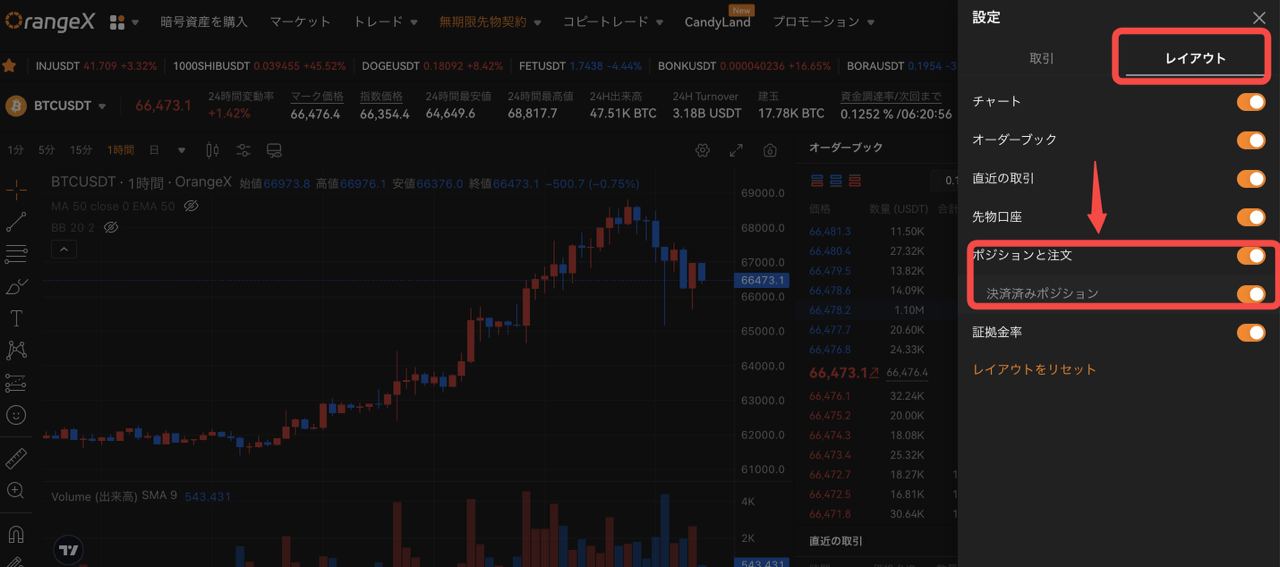
Press "Settings" on the Perpetual trading screen and select "Layout". If the display of Settlement completed Position is not turned on, turn it on.
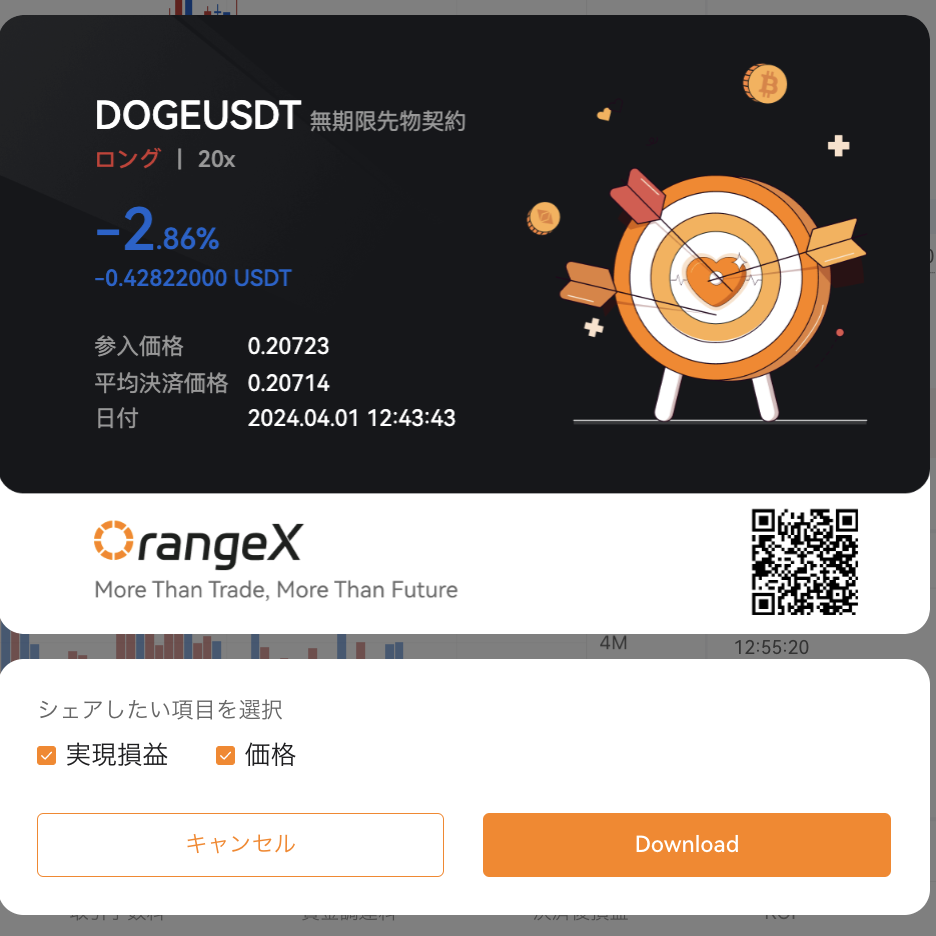
When the display of Settlement completed Position is turned on, Settlement completed Position will be displayed as shown below. Click the button to the right of ROI to output the card.
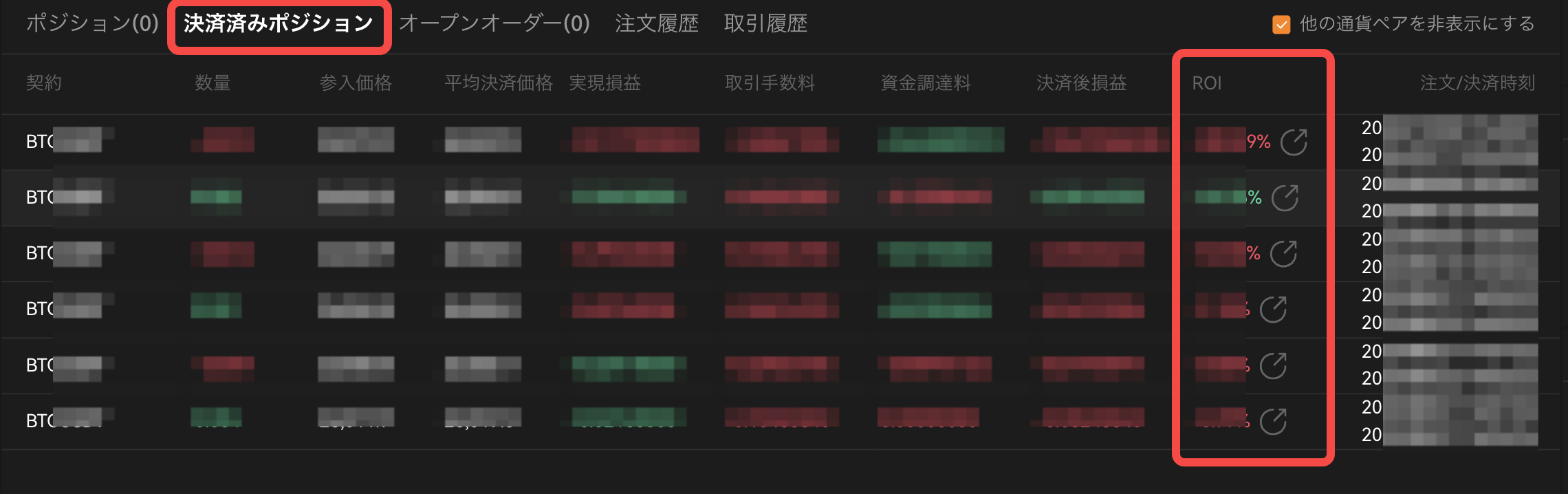
Select the item to share and press "Download" to download the PNG file. You can save the output card and share it with friends.
For
app
After selecting "Futures Contract" on the bottom screen of the app, press the transaction history button on the right side of Open orders.
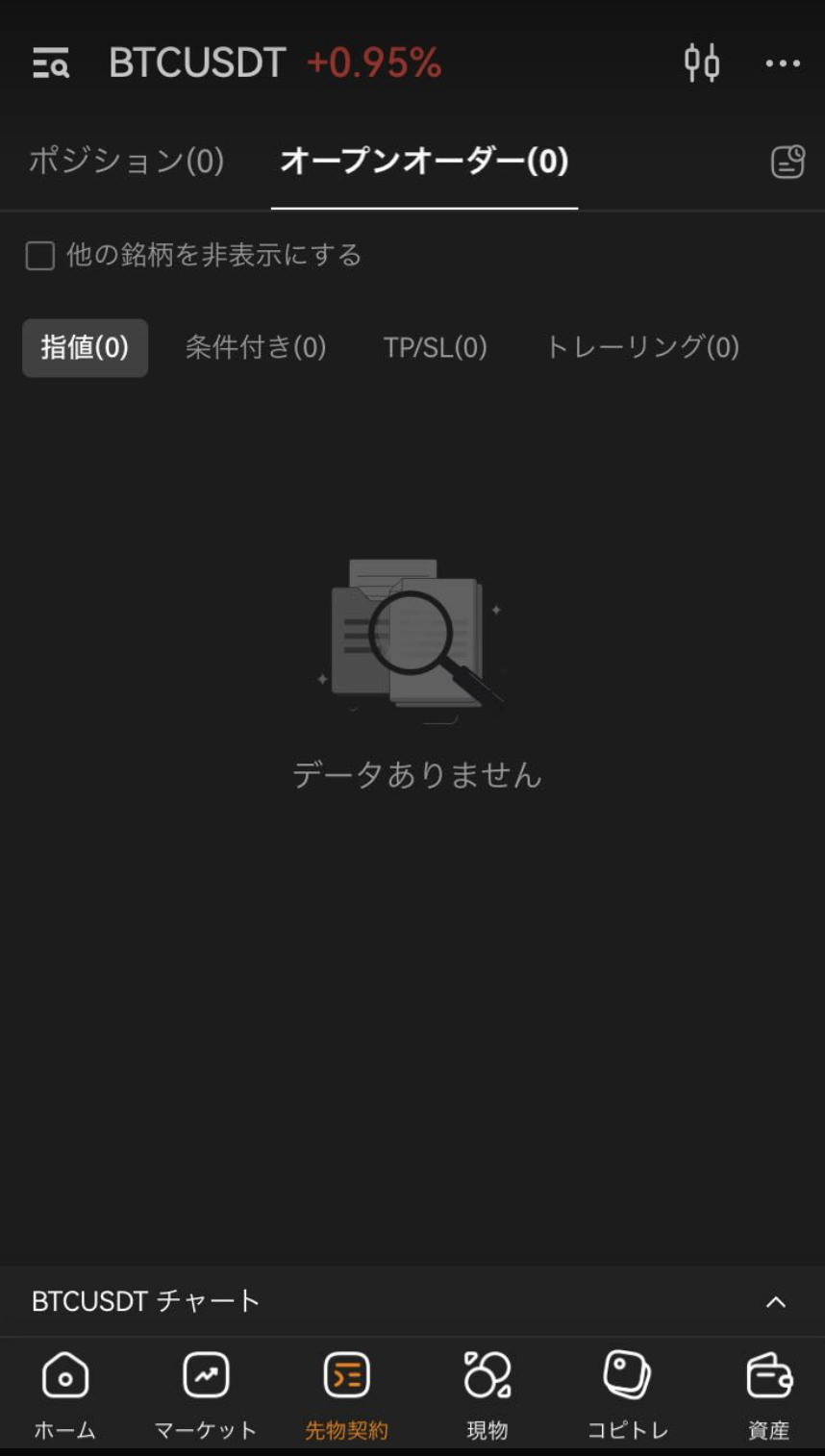
Please select "Settlement completed Position" in the history. You can output the card by clicking the button on the right side of the currency pair on the "Settlement completed Position" screen. You can save the output card and share it with friends.